Instagram OAuth (sometimes shown in the app as "Log into Instagram") is the secure way to link your Instagram account to your OpenSponsorship athlete or influencer profile. It uses Instagram's official login window and stores a connection on your profile so OpenSponsorship can read the data you approve — not post on your behalf.
What it does
When you connect with Instagram, you complete Meta's authorization flow in a browser window. OpenSponsorship records an OAuth connection tied to your profile and checks that required permissions were granted.
The product requests Instagram business-scoped permissions used for insights, including instagram_business_basic and instagram_business_manage_insights. Instagram decides the exact screens, eligibility rules and will guide you to login.
OpenSponsorship may access information about your followers and post interactions for marketplace and reporting purposes. However OpenSponsorship does not see private messages or post content to your account.
How to connect (athlete / influencer)
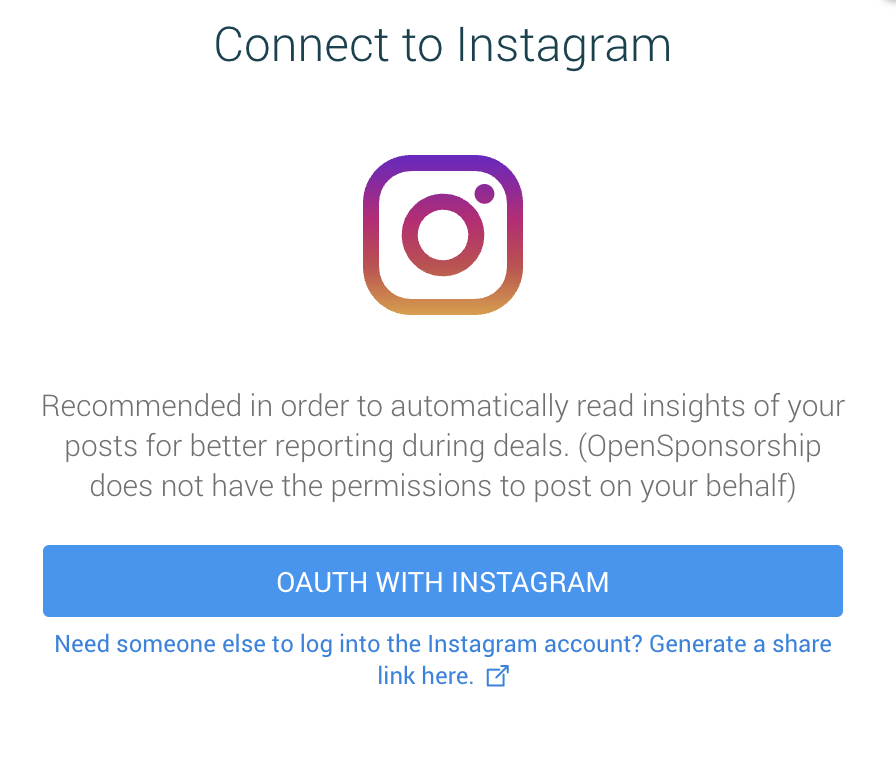
When you open the Instagram connection flow from your profile, you may see a screen like the one below (wording can vary slightly by account type).
- Sign in to OpenSponsorship with the account that owns your athlete or influencer profile.
- Open your profile editor (the experience labeled along the lines of "Edit profile" / "Manage" where you update your public profile).
- Find the Social Media Accounts section and the Instagram row.
- Click the Instagram row to open the connection dialog. Choose Log into Instagram to start OAuth.
- A popup opens to Instagram's authorization URL. Sign in and approve the requested permissions. When the flow finishes, the popup closes and the app refreshes your connection status.
- Alternatively, you can enter your Instagram handle manually in the same dialog if you only need a public link on your profile without OAuth — but OAuth is what unlocks verified insights and certain workflows (see benefits below).
If you are not the Instagram account owner
For Instagram, the dialog can offer a shareable link you can send to the real account owner (for example a parent, agent, or social manager). They open the link, complete Instagram login, and the connection is associated with your OpenSponsorship profile.
Requirements and tips
- The in-app guidance asks you to keep your Instagram account public so brands can evaluate reach and engagement. Private accounts limit what can be shown to partners.
- If the UI shows Authentication Expired for Instagram, use the same flow to reconnect and refresh permissions.
- If you see prompts about missing permissions or an expired connection, complete OAuth again and accept all requested scopes.
Why connect — benefits for athletes and influencers
- Stronger brand discovery — Accurate follower and engagement signals help brands compare and shortlist talent with confidence.
- Fixes "broken" social states — The product can flag private, age-restricted, or broken Instagram links and steer you toward OAuth so your stats stay trustworthy.
- Deal workflows — For Instagram Story-style deliverables, the experience expects an active Instagram OAuth connection before selecting posts. Connecting ahead of time avoids friction when you are fulfilling a deal.
- Operational readiness — When a deal with Instagram-related social deliverables is accepted, the platform checks for an OAuth connection; missing connections can trigger internal follow-up. Staying connected keeps campaigns moving.
Troubleshooting
| Symptom | What to try |
|---|---|
| Popup blocked | Allow popups for OpenSponsorship, or retry — the app may fall back to opening a new tab. |
| "Could not connect" after login | Confirm you finished Instagram's screens, wait a moment, then try again. Check you approved all requested permissions. |
| Expired or missing permissions messages | Use Log into Instagram again to reconnect (same entry point on your profile). |
| Need only a link, not stats | You can still add a handle manually, but you lose insights-backed features that depend on OAuth. |
Disconnecting
If your connection dialog offers Disconnect Instagram, you can remove the OAuth link from your profile. You may lose access to insights-backed features until you connect again.